Posted on Thursday, Oct 15th, 2026
How to Get Your Microsoft Power Automate Flows Under Control: A Story from Community Summit
It usually starts with a simple request: "Can you send this team an email when this field changes?" Before Jennifer Dar builds anything, she has to answer a harder question first: does something already do this? In a Dynamics 365 environment with years of cloud flows and legacy workflows behind it, that answer used to take real digging.
Community Summit 2026 brought the Microsoft community together in Nashville for the largest independent Microsoft AI and Business Applications user conference, packed with practitioners swapping ideas, solving real problems and building what's next on Dynamics 365 and the Power Platform. In the middle of all that energy, Herb Johnson, Senior Dynamics 365 Consultant at Blue Summit Technologies, and Jennifer Dar, Solutions Architect at Innovative Employee Solutions (IES), a leading full-service Employer of Record (EOR) and global workforce solutions provider, shared how they made that question easy to answer, and why it matters for any organization running on Dynamics 365 and the Power Platform.
Their session, From Legacy to Modern: Keeping Your Power Automate Flows Under Control, showed how to monitor, track and report on modern cloud flows and legacy Dynamics 365 workflows in one place. Here's the story behind it.

Why this matters at IES
IES runs its business on Microsoft Dynamics 365 and the Power Platform. Serving clients and contingent workers in the United States and around the world, IES relies on automations behind the scenes to keep onboarding, payroll and compliance moving, from internal notifications to background processes that run every day. With that comes real complexity, and every automation has to be secure and reliable.
Jennifer has watched that environment grow from the inside. She joined IES as an onboarding specialist, volunteered to help with the company's move from on-premises CRM to the cloud, and grew into the Solutions Architect behind many of its automations today. That 2018 cloud move is also where Blue Summit's story with IES began, and where Jennifer first met Herb. Today, Blue Summit is IES's primary partner for additional IT support, from day-to-day help to custom solutions like the flow tracker at the center of this session.
So when the out-of-the-box tools fell short, she knew exactly what was missing.
“The out-of-the-box Power Automate solution was helpful, but it didn't give us the granular details we were looking for around accountability and reporting.”
Jennifer Dar, Solutions Architect, IES
Hitting the wall: automation sprawl
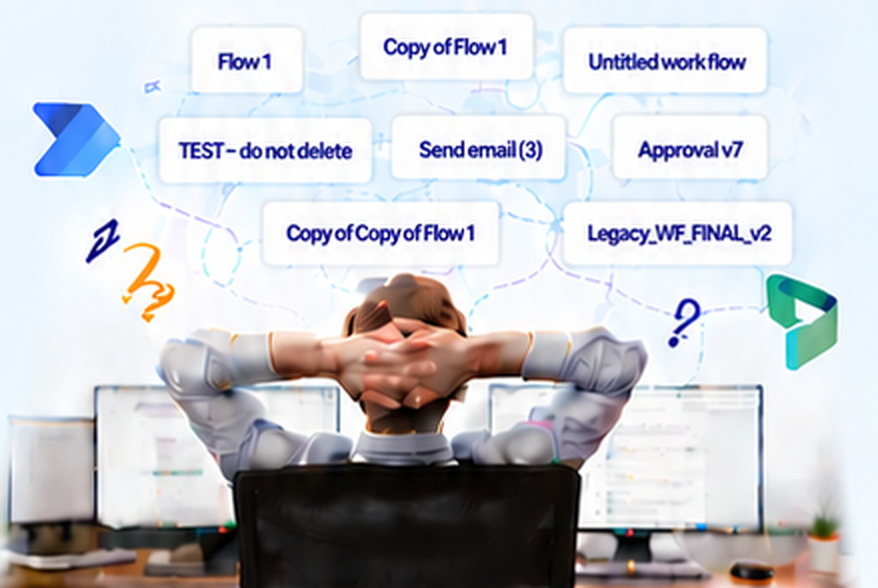
IES isn't alone. As organizations lean further into Dynamics 365, cloud flows multiply and classic workflows linger. Out-of-the-box tools make you pick a side. As Herb put it, "You have to choose one or the other. You can't look at both at the same time." Without a system, teams lose track of what exists, who owns it, what's failing and what's critical.
The result is reactive support. Errors go unnoticed until a business process stalls or a user reports something broken. And there's a trap Jennifer knows well: when the person who built a flow leaves the company, disabling their account can quietly break automations nobody knew depended on them.
That's automation sprawl: cloud flows and legacy workflows piling up faster than anyone can document, monitor or own them. It rarely happens all at once. It builds one quick fix, one copied flow and one departed employee at a time, and most teams don't notice until something breaks.
You might have automation sprawl if…
- Your environment has a flow called "Copy of Copy of Flow 1," and nobody will admit to building it.
- "TEST - do not delete" has been running in production for two years.
- The owner of a critical flow left the company, and you found out when it broke.
- You learn about failed flows from the help desk, not from a report.
- Someone asks "does anything use this field?" and the honest answer is "maybe."
One hub, both worlds, three pillars
Herb has worked with Dynamics 365 since its CRM 4.0 days, and he describes his goal simply:
“My passion is to help people automate the chaos in their jobs and make their jobs easier.”
Herb Johnson, Senior Dynamics 365 Consultant, Blue Summit Technologies
At IES, that meant giving the team one place to see everything.
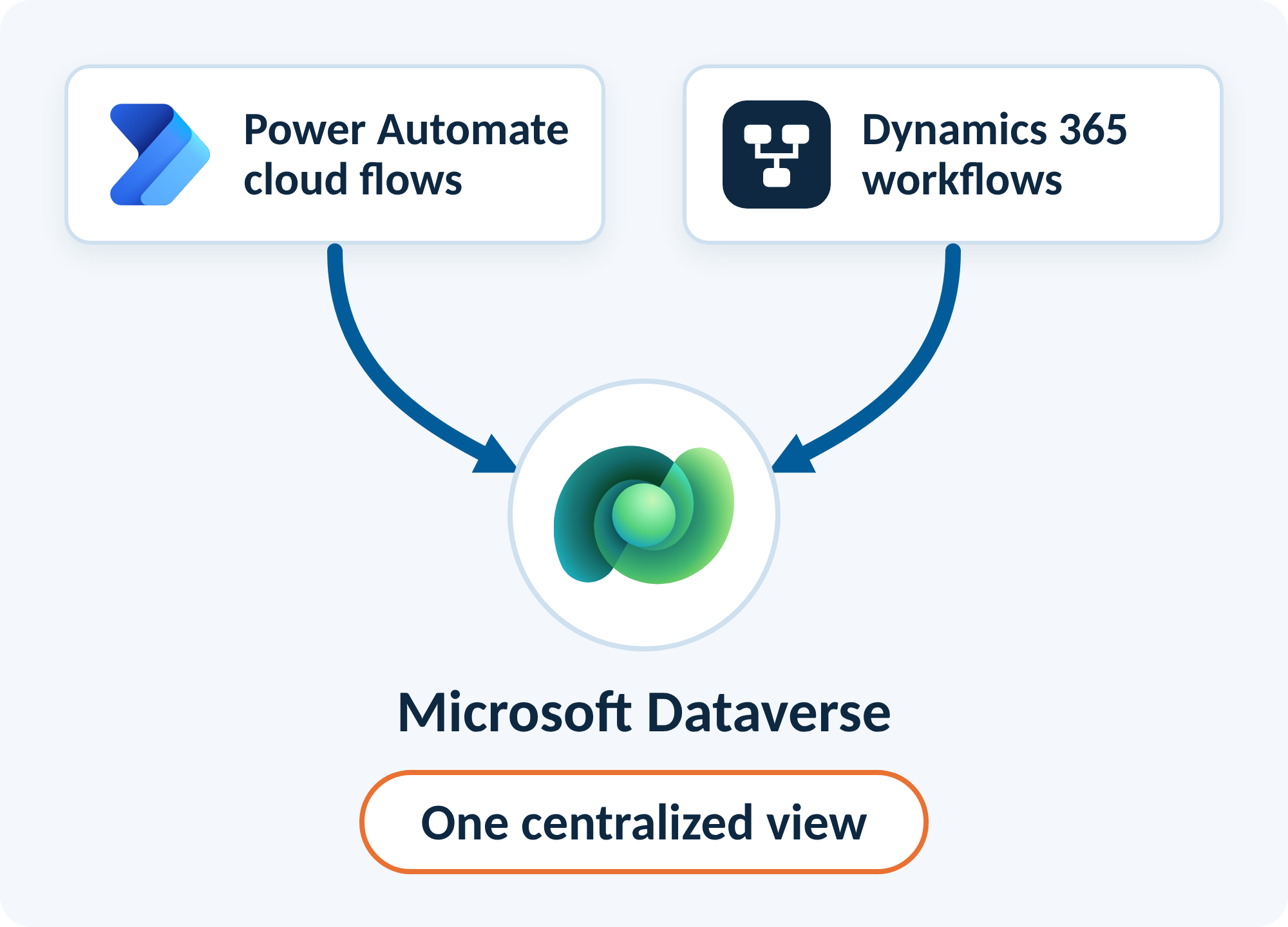
Together with IES, we built one central hub in Dataverse that brings cloud flows and legacy workflows together, so technical and non-technical teams share the same view. It rests on three pillars of control:
Where AI actually helps

An AI model reads each flow's definition and turns it into plain-language keywords and summaries, closing the gap between what an automation does and what a business stakeholder needs to know. It also helps with troubleshooting, separating data problems from logic problems, and gives leaders a clearer view of automation health.
AI can speed up the build itself, too. Claude helped create the custom web resources inside the app, including a flow run viewer with filtering and drill-down, and the code can go back to Claude to extend or debug it.
Three everyday wins
Here's what that looks like on a normal day for Jennifer. Each one sounds simple, but without a full view of what's already running, a quick change can create duplicates or break something another team relies on.
"Can you email my team when a task is marked complete?"
Before building anything, Jennifer checks the tracker to see whether another automation already watches that same field. At IES, several already do, so a quick search saves building a duplicate that would send people the same email twice.
"We don't use this field. Can we delete it?"
One department may never touch it, but another team's automation might depend on it. The tracker shows every automation that uses the field, so nothing breaks quietly after it's removed.
"Can this scheduled flow run more often?"
Instead of hunting through every flow in the environment, Jennifer filters by how each one starts (on a schedule, on demand or when a field changes) and finds the right one in seconds.
In the Process Tracking app, legacy workflows and modern flows sit side by side with trigger details, conditions and direct links.
Herb built the solution to stay lean: one new table, the cloud flows that populate it, the AI model, the app, security roles and web resources. His first tip for anyone building their own: turn on cloud flow run history in Dataverse. Keeping that history in its own tracking table also means it lasts beyond Dataverse's default 28 days.
Your turn: bring it to your team
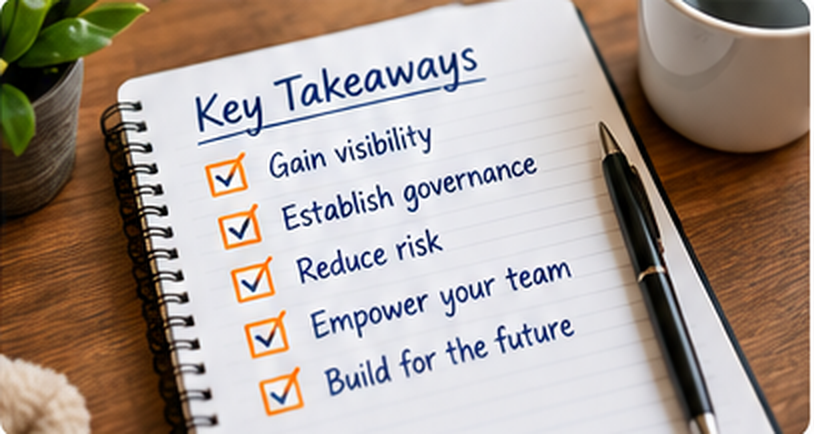
You don't need a big project to get here. Whether you manage a handful of flows or thousands, aim for three things: visibility into every flow and workflow you have, reliability from catching failures before your users do, and accountability through a named owner for every automation. One heads-up: flows need to live in a solution to be tracked, so personal flows won't show up.
Three steps you can start on right away
Turn on flow run history
In Dataverse. It’s one setting, and everything else builds on it.
Log every flow in one table
Even a simple list of what runs, what triggers it and who owns it is a big step forward.
Send one daily error report
Find out about failures before the help desk does.
Start small, share what you find with your team and build from there. Every flow you can see is one less surprise.
Want to learn more?
This session came out of a real partnership. IES brought the day-to-day reality of running a growing Dynamics 365 environment, and we brought the build. Thank you to everyone who joined us, to Jennifer and the IES team for sharing their story, and to Community Summit for selecting our session.
Every organization running Dynamics 365 and the Power Platform has its own version of IES's story: a growing mix of cloud flows and legacy workflows, and a team that needs to know what's running, what's failing and who owns it. Whether you missed the session or want to bring this approach to your own business, Blue Summit can help, from turning on the right settings to building a tracking solution that fits how your team works. Request a meeting below to start the conversation.
May your flows run green and your error reports stay empty.
REFER TO OTHER RELEVANT CONTENTS
How to Get Your Microsoft Power Automate Flows Under Control:...
It usually starts with a simple request: "Can you send this team an email when this field changes?" Before Jennifer Dar builds anything, she has to answer a harder question first: does something already do this? In a Dynamics 365 environment with years of cloud...
read more
Consulting
At Blue Summit, our goal is solely to help our clients leverage their technology investments to improve business performance. We deliver tailored IT consultancy solutions and business IT support to organizations of any size. With Blue Summit as your partner, we can help lead your organization forward with highly effective IT strategies and implement innovative business solutions.
read moreLatest Insights


TESTIMONIAL

Andrew Buckland

Katherine Leisinger

Michelle Rodriguez